How to Link Bank Account to Parwaaz Card Portal 2026? The Government’s Parwaz Card system has become more structured and fully digital in 2026. One of the most important steps for approved applicants is linking a bank account with the Parwaz Card online portal. Without a verified bank account, applicants may experience delays in receiving financial benefits and future program services.
Many users are confused about the bank linking process, required documents, and common mistakes that lead to rejection. This complete guide explains everything step by step in simple language, so anyone can easily connect their bank account online.
Why Bank Account Linking Is Important for Parwaz Card?
It’s not just a convenience to link a bank account. It is very important for keeping payments safe and keeping records clear.
Some important reasons are
- Direct transfer of perks from the Parwaz Card
- Applicants’ identities must be checked properly
- Stopping fake or repeat applications
- easier refills in the future and faster approval at first
If you don’t get bank proof, your Parwaz Card application may stay pending or not work at all.
Who Can Connect a Bank Account with Parwaz Card?
Before starting the process, make sure you meet the eligibility criteria.
Eligibility Conditions
The person applying for the Parwaz Card must be registered.
- The CNIC has to be valid and working.
- This person must have their own bank account.
- The cell phone number must be linked to the CNIC.
- The bank account should be used and not just sitting there.
Most of the time, people won’t accept joint accounts or accounts in someone else’s name.
Required Documents for Bank Account Linking:
Prepare the following documents before logging in to the portal:
- CNIC (clear front and back images)
- Bank account IBAN number
- Bank name and branch details
- Active mobile number for OTP verification
- Bank statement or cheque image if requested
All details must exactly match CNIC records to avoid rejection.
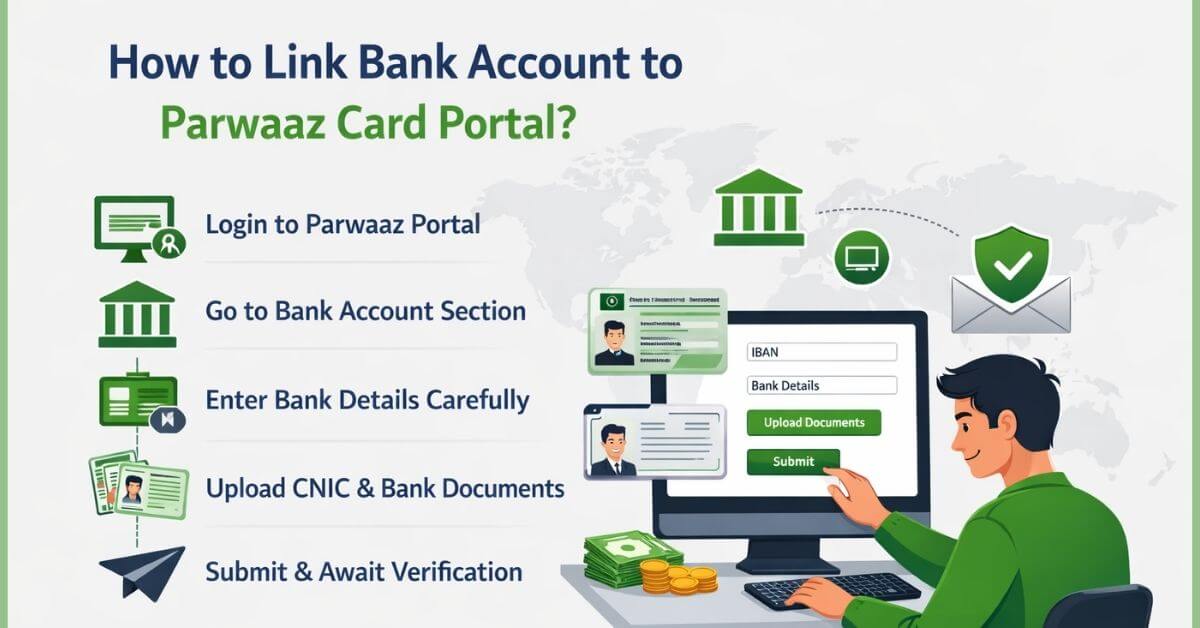
Step-by-Step Guide: How to Link Bank Account to Parwaaz Card Portal 2026?
Step 1: Log in to the Parwaz Card Portal
- Go to the main website for the Parwaz Card. https://parwaaz.psdf.org.pk/
- Type in your CNIC number.
- Use the phone number you registered.
- Use the OTP code to confirm your login.
Use your own device at all times for safety reasons.
Step 2: Open the Bank Account Section:
Once you’re logged in:
- Go to the Dashboard for Your Profile
- Click on Details of Your Bank Account
- Click on “Add or Link Bank Account.”
This part of the application may stay locked if it’s not complete.
Step 3: Enter Bank Details Carefully:
Fill out the necessary fields:
- Name of the bank
- Number with 24 characters IBAN
- Account title must match the CNIC.
- Branch city
Even one wrong number in the IBAN can lead to rejection.
Step 4: Upload Supporting Documents:
Put up:
- Images of clear CNIC
- If needed, bank proof like a statement or a picture of a check
Make sure the papers are:
- Simple and easy to read
- Not blurry or shiny
- uploaded as a JPG or PNG file
Step 5: Submit for Verification:
- Check all the information you entered twice.
- Click Send.
- Check for approval on the screen or by text message
The next step for your request is to be checked.
How Long Does Bank Verification Take?
Most of the time, bank verification takes:
- 3 to 7 business days
It might take longer when there are a lot of applications. From your screen, you can see what’s going on.
Some possible status reports are:
- Under Review
- Verified
- Rejected with reason
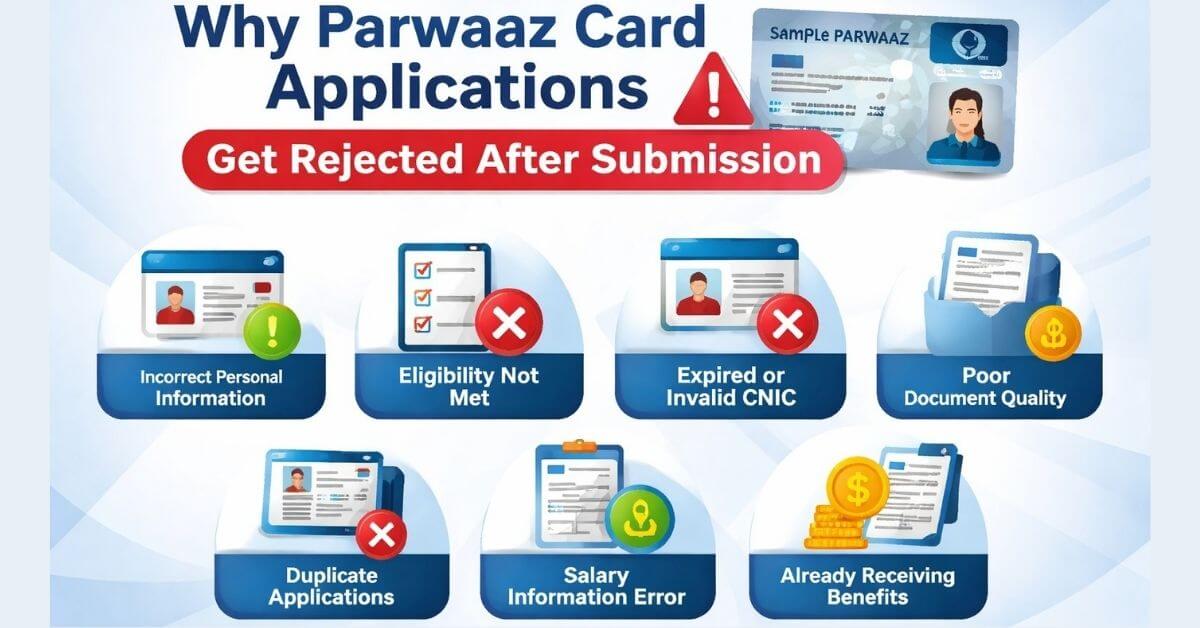
Common Reasons for Bank Account Rejection:
Errors that could have been avoided cause most rejects.
Some common reasons are:
- Someone else’s name is not on the bank account
- Not the right IBAN number
- An account that isn’t being used
- CNIC and bank records don’t match
- Documents that are blurry or wrong
If an applicant is turned down, they can generally change their information and resubmit it.
Check Also: Apply for Parwaaz Card Interest-Free Loans Online
Which Banks Are Accepted for Parwaz Card?
In 2026, most of the big Pakistani banks are backed up, such as:
- Government Bank of Pakistan
- HBL
- UBL
- Bank of Alfalah
- Meezan Bank
- An Allied Bank
Mobile wallets might work in the future, but bank accounts are still the best choice.
Can You Change Bank Account After Linking?
Yes, but there are some limits.
Important things to remember:
- There are not many ways to change your bank account.
- Verification needs to be done again.
- Changes that happen often may cause delays in giving benefits.
It is suggested to connect a fixed account that is still being used.
Safety Tips While Linking Your Bank Account:
To keep yourself safe, do these things:
- Don’t let anyone else have your OTP.
- Do not use public computers or cybercafés.
- Use only the approved website for the Parwaz Card.
- Check the IBAN twice before sending it.
The government will never call or text you and ask for your password.
What to Do If You Face Technical Issues?
If the portal is not working:
- Try again after some time
- Clear browser cache
- Use an updated browser
If the issue continues:
- Contact the official Parwaz Card helpline
- Visit the nearest facilitation center if available
Future Importance of Bank Linking in Parwaz Card System:
From 2026 onward, verified bank linking will be mandatory for:
- Financial assistance programs
- Digital payment distribution
- Credit-based benefits
- Long-term eligibility tracking
Applicants without verified bank accounts may be excluded from future phases.
Final Words: Parwaz Card Online Portal 2026:
It is very important that you carefully connect your bank account to the Parwaz Card web portal. A verified bank account makes sure that payments go smoothly, that applications are approved faster, and that you can keep using the Parwaz Card system.
In 2026, applicants can easily and safely finish the process if they follow this guide and don’t make the usual mistakes.
Summary:
In 2026, people who want to get a Parwaz Card must link a verified bank account through the official website in order to get rewards. Checking your CNIC, sending in your IBAN, and getting online approval within a few business days are all parts of the process.